My DAW PC won't connect to my NBN WiFi Router via WiFi anymore.

DrNomis_44

Well-known member
Hi everyone,


Been having some trouble getting my DAW PC to connect to my Linksys NBN WiFi Router, I was using an Edimax usb WiFi adaptor with my DAW PC to connect to my WiFi router but now it simply refuses to connect, if I plug my DAW PC straight into my NBN Co box via a Cat.5, I'm able to get internet access though, I've tried at least three other devices that have WiFi connectivity, and they all can get internet access, so, by a process of elimination, it looks like there's some kind of an issue with the Edimax WiFi adaptor, I tried doing a driver update/re-install but got nowhere, so, here's what I'm going to try doing this coming fortnight, I'm going to buy some new Cat.5 cable, some new RJ45 Cat.5 connectors (since I'm down to my last two), some self-adhesive nylon tie-points, and some zip-ties, with that I'm going to make a long LAN cable so I can run it from the NBN Co box to my DAW PC in my bedroom, and then position my Linksys WiFi router on my DAW PC's desk, next I'll make another shorter LAN cable so I can connect my DAW PC up to my Linksys WiFi Router via LAN cable (there are some spare LAN ports on the WiFi Router), the long LAN cable will be run along the ceiling in my flat, till then I'll have to put up with connecting my DAW PC to the NBN Co box via a LAN cable to get it online, yeah I know, a bit of a pain.


I'm suspecting that there's a Windows 10 incompatibility issue with my Edimax usb WiFi adaptor, it used to work reasonably well but would spontaneously disconnect from my Linksys WiFi Router.
 
Last edited:
Have you been into the settings of the router by logging in,check settings and password. Is it new router. Maybe remove old setup by deleting and recreate new connection on PC
 
Have you been into the settings of the router by logging in,check settings and password. Is it new router. Maybe remove old setup by deleting and recreate new connection on PC


Yep, it's a relatively new Router, I got it last year, I have been able to rule out the Router as being at fault because my Laptop, Nintendo WiiU, and Nintendo 3DS can all connect to the Router and gain internet Access, I tried deleting the old connections on the DAW PC, checked the settings and password, etc, it's definitely the Edimax usb WiFi adapter that's at fault, funnily enough Windows device manager reports that the Edimax WiFi adapter is working correctly, I occasionally get an error message saying that one or more protocols are missing whenever I try doing a network troubleshoot.


I'm using my Laptop to get online right now, it is connected to my Linksys WiFi Router via WiFi.


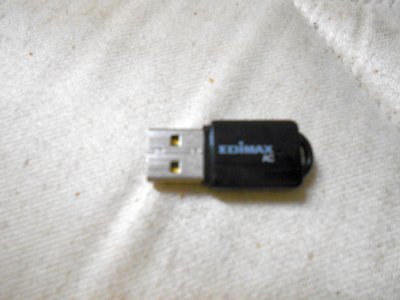
Here's a pic of the Edimax WiFi adaptor I was using with my DAW PC to get it online, I'm suspecting that there's a compatibility issue with the driver software and Windows 10, I've got the most recent version installed, which I downloaded from the official Edimax website, it's supposed to be compatible with Windows 8 so it should also work in Windows 10, since Windows 10 is based on the same code as Windows 8:

Edimax_resized.jpg
 
Last edited:
If the device is installed correctly and not showing any !'s in the hardware manager, double-check the drivers are up to date and not showing errors as Win 10 supposedly has a valid driver for that model (I think it should show as a Realtek driver for that Edimax).

If everythng checks out then maybe have a look at what 'ipconfig /all' shows from the command line.

As a last resort you could try downloading a Win 8.1 driver package for it, uninstall the device then install the driver in Win 8.1 compatibility mode.
 
Last edited:
If the device is installed correctly and not showing any !'s in the hardware manager, double-check the drivers are up to date and not showing errors as Win 10 supposedly has a valid driver for that model (I think it should show as a Realtek driver for that Edimax).

If everythng checks out then maybe have a look at what 'ipconfig /all' shows from the command line.

As a last resort you could try downloading a Win 8.1 driver package for it, uninstall the device then install the driver in Win 8.1 compatibility mode.


I'll give ipconfig/all a go tomorrow, I had a look on the Edimax website and the most recent driver for the EW-7811UTC usb WiFi Adaptor was written for Windows 8.1, that's the driver that's installed on my DAW PC, maybe if I try re-installing it in compatibility mode for Windows 8.1 it may work better, if I have no luck in the morning I'll wait till next Tuesday and buy what I need to run a length of Cat.5 cable from the NBN Co box in my kitchen to my bedroom as planned.
 
I see DB has offered his computer tech support skills again Doc lol. Have you ever worked for Hewlett Packard DB hahaha
 
Last edited:
Still reckon smacking it one with the biggest hammer you can find is the way to go 😂


Hahahaha...I reckon you're right mate, that Edimax usb WiFi adaptor has sorely tested my patience, and I put extra emphasis on the word "sorely", the thing is, my patience will last for only so long till I feel like doing my famous impression of someone with a bad case of tourettes while using all the colourful words I can think of.
 
Okay, I think the problem is that my Edimax USB WiFi Adaptor is working, since Windows Devices reports that it is working correctly, but, it can't connect to my Wireless Router for some unfathomable reason, I'm thinking that it is unable to transmit a signal to my Wireless Router, or, my Wireless Router can't pick up a signal from the Edimax USB WiFi Adaptor, I know that it can't be the Wireless Router that's at fault, since my Laptop, my Nintendo WiiU, and my Nintendo 3DS can connect to it, that's three separate devices with WiFi connectivity that can connect, plugging my DAW PC directly into my NBN Co box gives my DAW PC internet Access, so I think I should just cut-to-the-chase and ditch the Edimax WiFi adaptor, re-locate my Linksys Wireless Router so that it's close to where my DAW PC is, run a new Cat.5 LAN cable from the Wireless Router out to the NBN Co. Box, and then connect my DAW PC to the Wireless Router via another Cat.5 LAN cable of suitable length, I happen to have a LAN Tester/Toolkit that I can use to make LAN cables, but I need to buy some more RJ45 LAN connectors cause I'm down to my last two, I also need to buy a 100M roll of Cat.5 Cable, which Jaycar Electronics stock, they also stock the RJ45 connectors too, yeah, it's going to cost me a bit.
 
haha love DB's tech support solutions - a big hammer

@ DB is that also the solution when you can't solve a guitar wiring gremlin ? hahha

@ KB is that what Hewlett Packard tech support suggest as well, a big hammer ?

I reckon if you can't fix something with a hammer, cable ties, duct tape or CRC spray, it can't be fixed haha
 
haha ok cool DB, so the ultimate do any repair job toolkit will contain:
1) big hammer
2) cable ties, various sizes
3) several rolls of duct tape
4) few cans of CRC lubricant spray
5) fencing wire
6) emergency hip flask (in case the repair job goes way south LOL)

anything else I missed forumites ?
 
Back
Top