Results 1 to 10 of 17

Thread: Building A Home Studio

Threaded View

Previous Post Previous Post   Next Post Next Post
  1. #17
    GAStronomist DrNomis_44's Avatar
    Join Date
    Dec 2014
    Location
    Darwin,NT Australia
    Posts
    5,552
    Quote Originally Posted by Simon Barden View Post
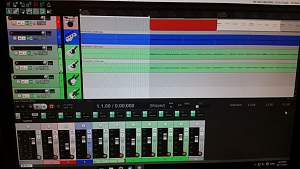
    I'd immediately advise you to swap to 24 bit recording. With 16-bit, you need to get the recording level as hot as possible (without overloading and getting digital clipping) to maximise the theoretically available 96dB (in practice a bit less) of dynamic range and headroom above the sysytem noise floor. With 24 bit, you can run at much lower input levels e.g. -18dBFS (which is still 21 bits of data) and get a much better theoretical dynamic range and a lower relative noise floor. All the time you are recording at say -1dB or -0.5dB, even though you may not clip digitally, inter-sample peaks mean that when the D/A converter will clip the sound produced.

    You should have somewhere in your software (or find on the web) a true peak meter, which calculates the levels of inter-sample peaks (ISPs). Use it as the last insert on your master bus, and this will tell you if any of your recordings will distort. ISPs are worse on waveforms with sharp, near-vertical, leading edges (such as true square waves) and percussive transients, where they can be almost 3dB above the maximum recorded digital value. ISPs exceeding 0dBFS are one reason why some recordings sound really nasty when converted to MP3s etc.

    So always 24 bits, and take things easy on the recording levels.

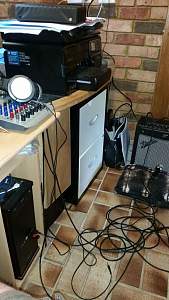
    I'll give that a go, cheers mate, my Saffire Pro40 connects to my Desktop PC via a 6-pin Firewire 400 lead, which plugs into a Firewire 400 port on a PCI card that uses a Texas Instruments chipset, I used a small app called DPC (Deferred Procedure Call) Checker to make sure my PC could handle real-time audio streaming, and the app said that my PC could, DPC Checker is a free app that you can use to troubleshoot audio dropouts and glitches, it took me a while, and lots of headaches, but I think I got my system working at it's best.

    My Desktop PC has 8Gb of DDR 3 Ram installed, but I'm going to buy some extra Ram next year, there are three spare Ram slots left on my Desktop PC's motherboard, and the motherboard supports up to 32Gb of Ram according to the user manual, earlier this year I upgraded the power supply from a 600 Watt to an 850 Watt, it has an Intel i5 3.3 Ghz Quad Core CPU installed in it, I'm going to buy a can of Air Duster from Jaycar Electronics this fortnight, and give the case a good blow-out of any cobwebs and dust that may have accumulated in it, what latency figure should I be able to achieve without noticeable audio glitches?, I have been able to get it down to about 12 mili-seconds, should I be able to get it lower than that?
    Last edited by DrNomis_44; 20-11-2016 at 08:35 PM.

Posting Permissions

  • You may not post new threads
  • You may not post replies
  • You may not post attachments
  • You may not edit your posts
  •